Visual Updates to Company and Location Dashboards
We’ve refreshed the Company and Location dashboards with a cleaner layout and more intuitive navigation. All the functionality you rely on today remains unchanged — but now it looks and feels more modern, cohesive, and ready for future enhancements!
This update improves clarity and efficiency so power users can find what they need faster and manage Company and Locations across their organization with greater ease.
Company Dashboard
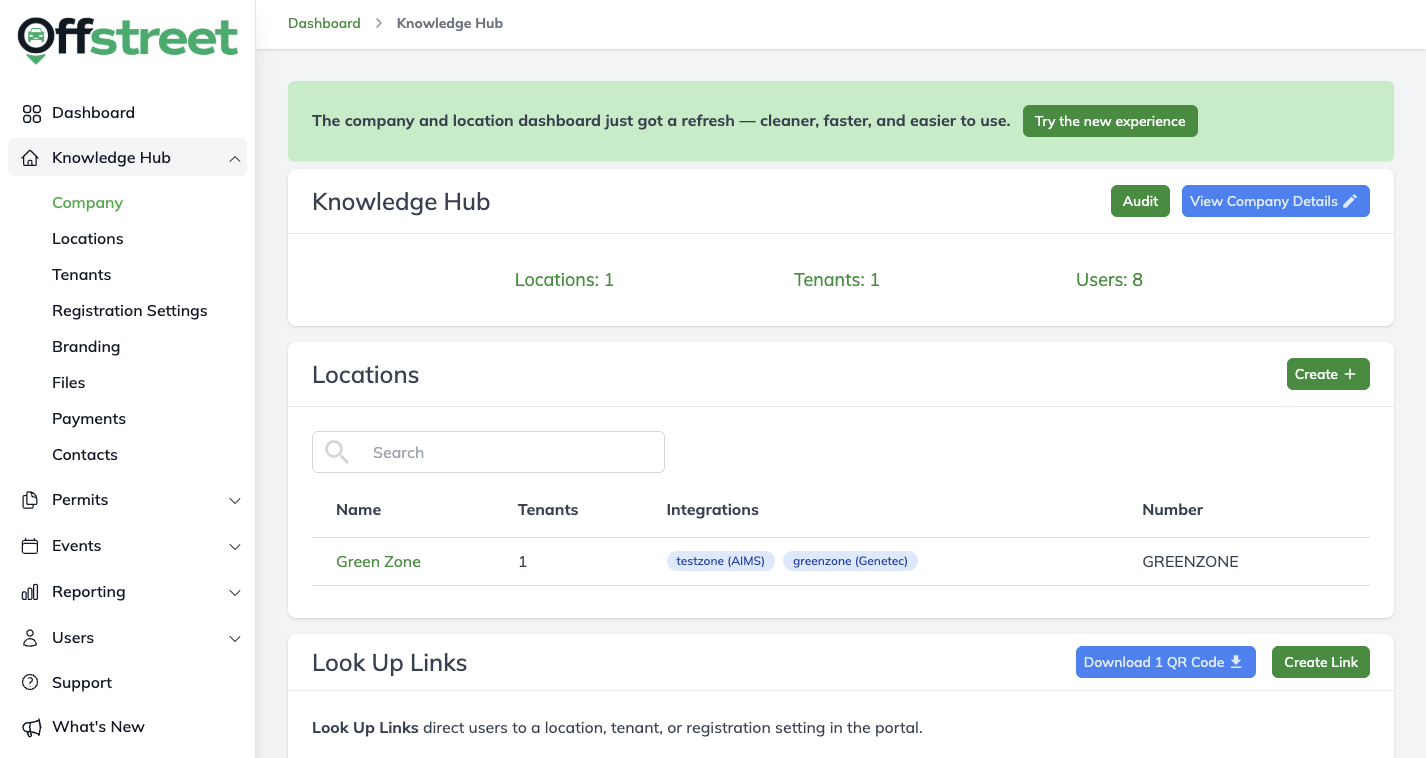
What did it look like before?
What does it look like now?
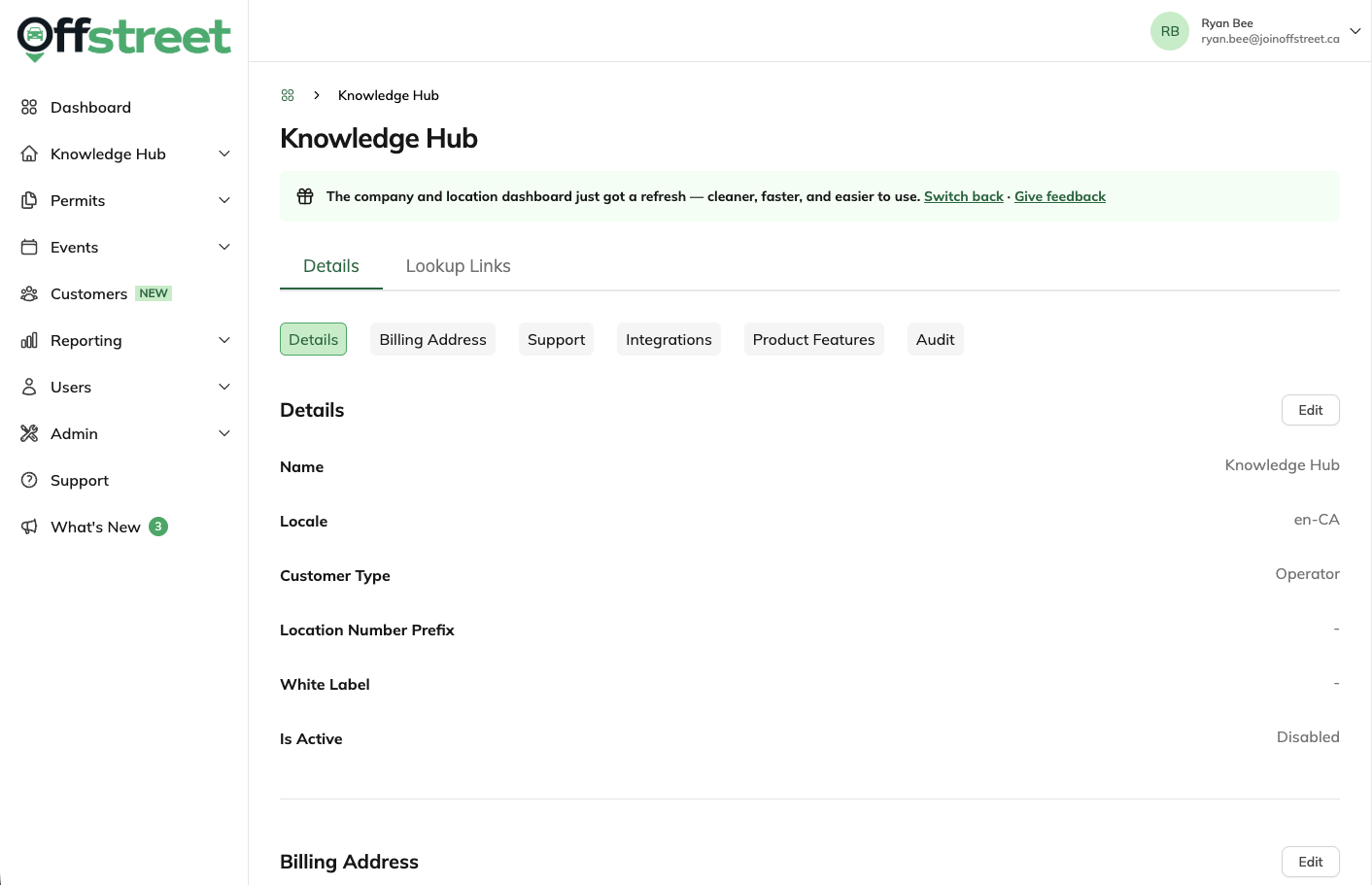
All Company-level settings are now conveniently found in one page. Here you can manage your Company Details, Billing Addresses, Support contacts, Integrations, and Product Features.
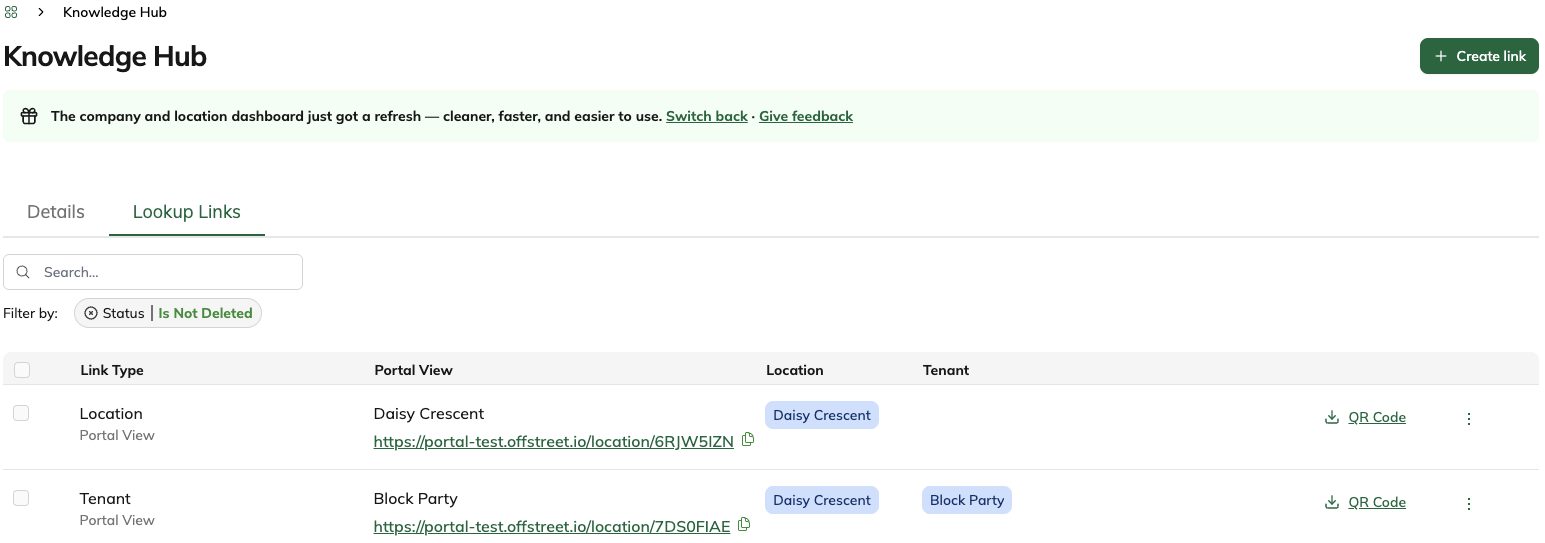
You can also view and manage all Location and Tenant Portal links by navigating to the Lookup Links tab
Location Dashboard
What did it look like before?
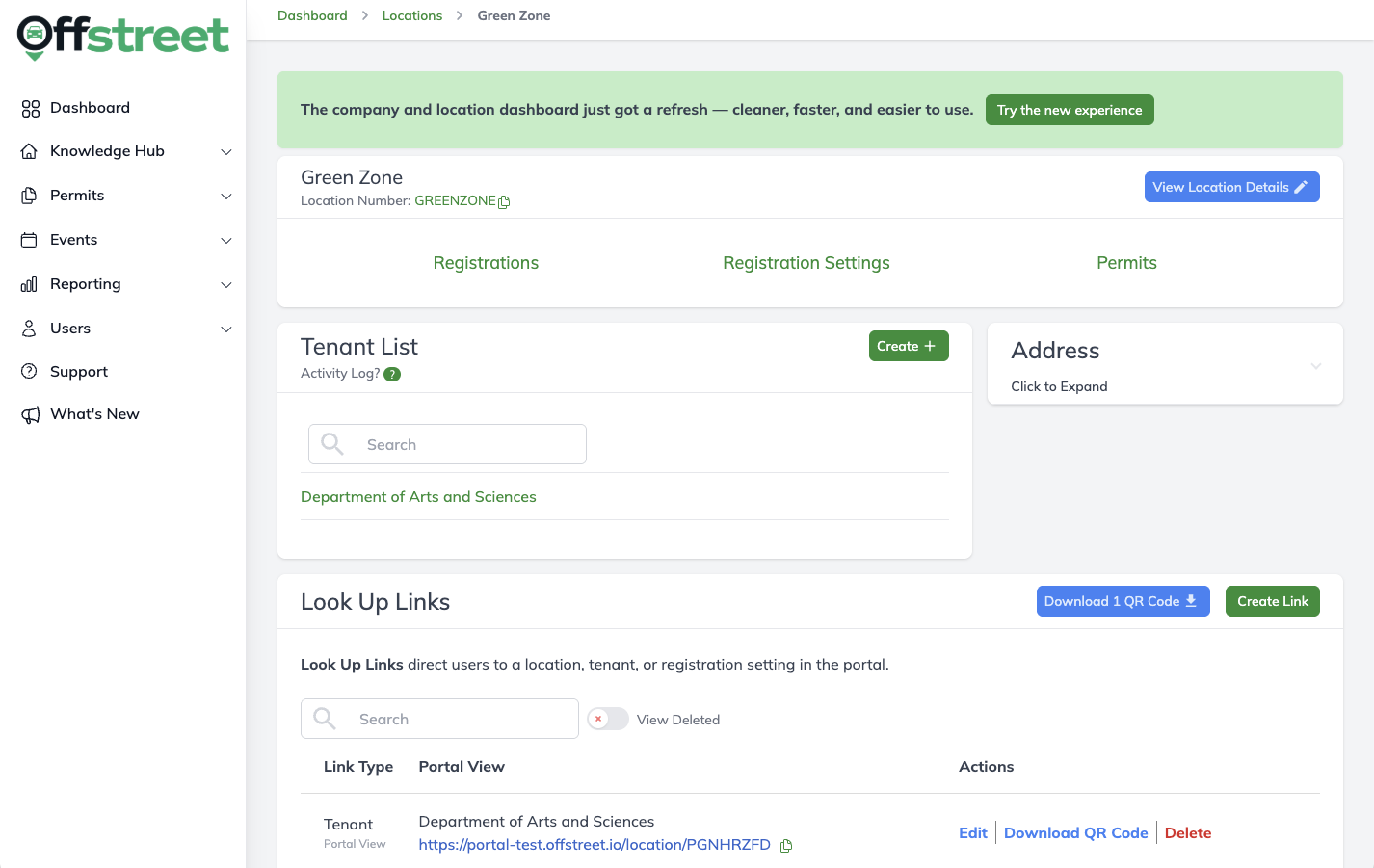
What does it look like now?
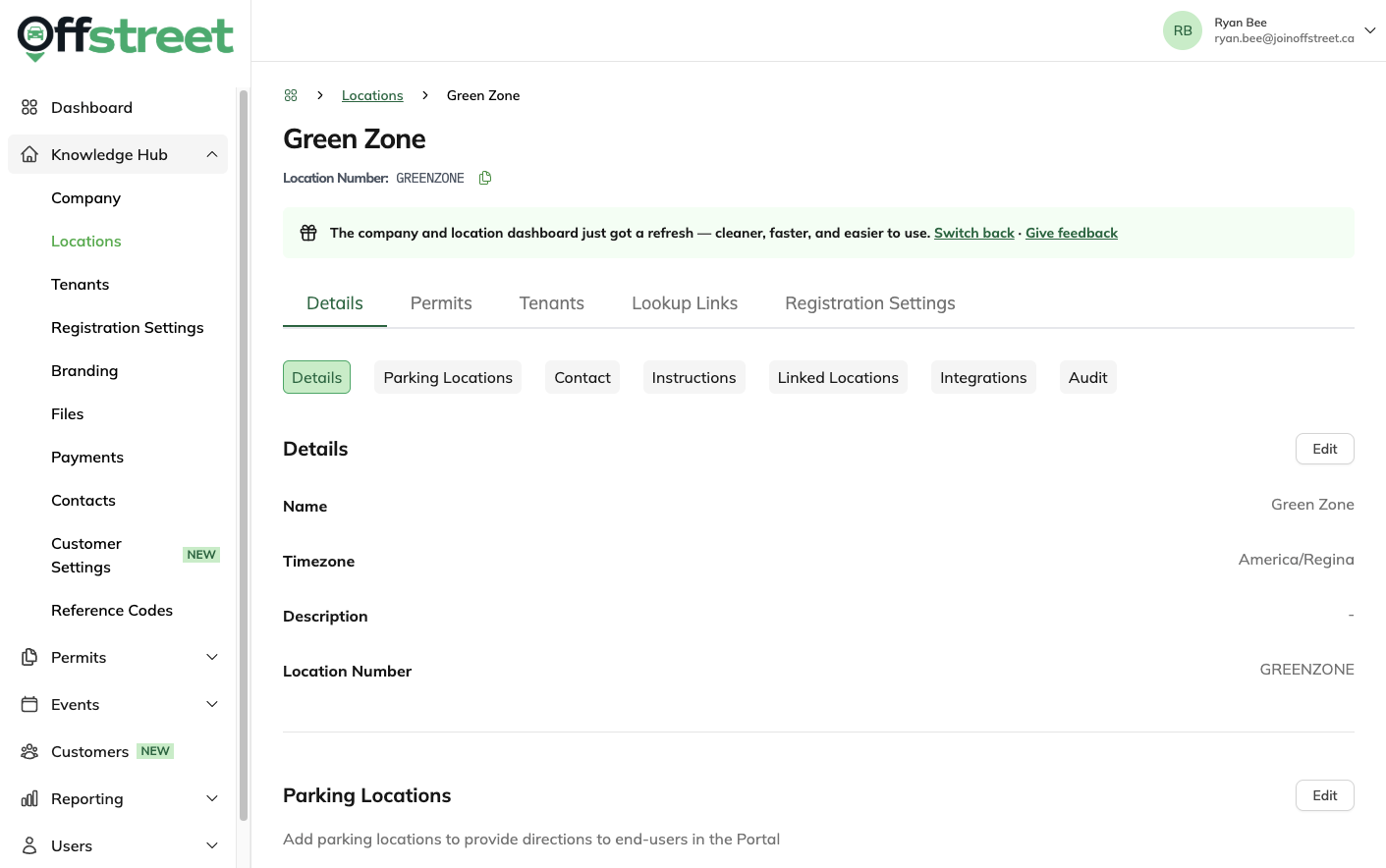
You'll notice that the new Location Dashboard looks a lot like the new Tenant Dashboard. This is to pave the way for the new Permit Type and Common Rules features that will be coming soon!
Just like the new Company Dashboard, all Location-level settings and are found in a single page. No more extra navigation between pages!
FAQS
Do I need to do anything to access the new dashboards
Yes, when you first navigate to the Company or Location page, you'll see the old dashboard until you click 'Try the new experience'.
Can I go use the old dashboards that I'm used to?
We heard your concerns when we refreshed the Tenant and Permit Types Dashboards! We're giving users the option to switch back to the old Dashboards for a limited time while you get used to the layout changes.
Will this affect user roles or permissions?
No, User roles, permissions, and access levels remain unchanged.
Why were these dashboards updated?
Not only do they help power users manage their data more efficiently, it also lays the groundwork for future enhancements. Stay tuned for more exciting announcements coming down the pipeline!
Was this article helpful?
That’s Great!
Thank you for your feedback
Sorry! We couldn't be helpful
Thank you for your feedback
Feedback sent
We appreciate your effort and will try to fix the article